Scheduling anyone can use
No scheduling experience and no computer skills needed. If you can use a phone, you can use Schedra.
Schedra turns your MS Project, P6 or Excel schedule into a live, day-by-day calendar on every phone on the job, and logs every change to it: what moved, who moved it, and when.
45 days free. No card needed. No scheduling experience needed either.
Bring the schedule you already have:
MS Project .mpp MS Project XML Primavera P6 export Excel & CSVBuilt for the people who actually build: the office, the field and every trade in between.
No scheduling experience and no computer skills needed. If you can use a phone, you can use Schedra.
A 900-line Gantt chart becomes a simple day-by-day calendar the whole crew can read.
"If drywall slips five days, what happens to the end date?" Ask in plain English and get a report back.
Every trade sees exactly what is scheduled today and this week, so crews turn up the right size.
Supers record what really happened, from their phone, straight into the schedule. A live schedule, every day.
Lay today's schedule over the one you started with and see every task that gained or slipped, in days.
The same screens your team opens on site tomorrow morning.
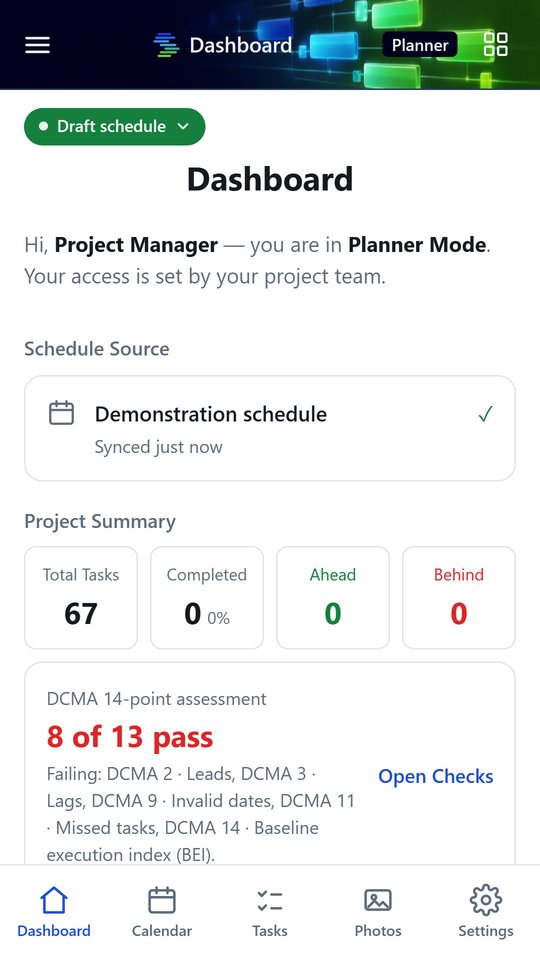
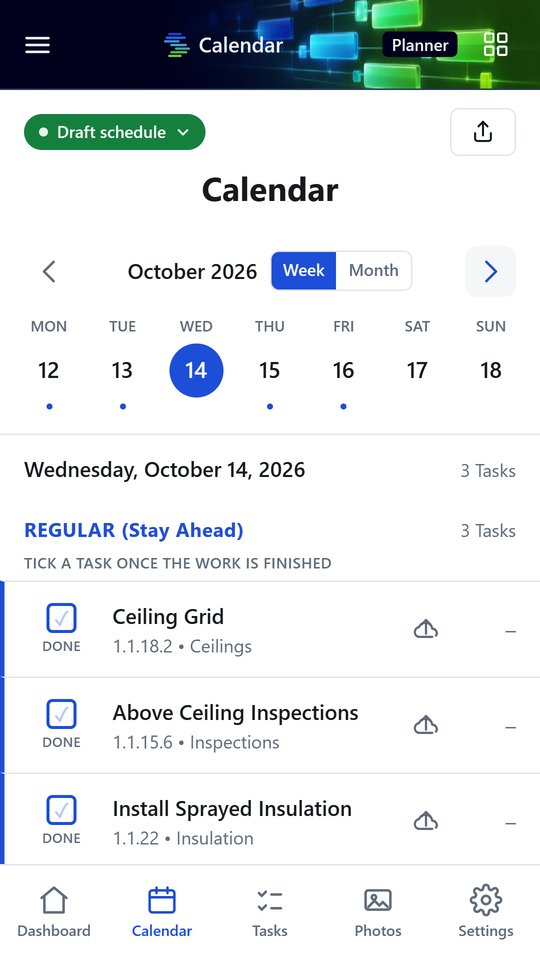
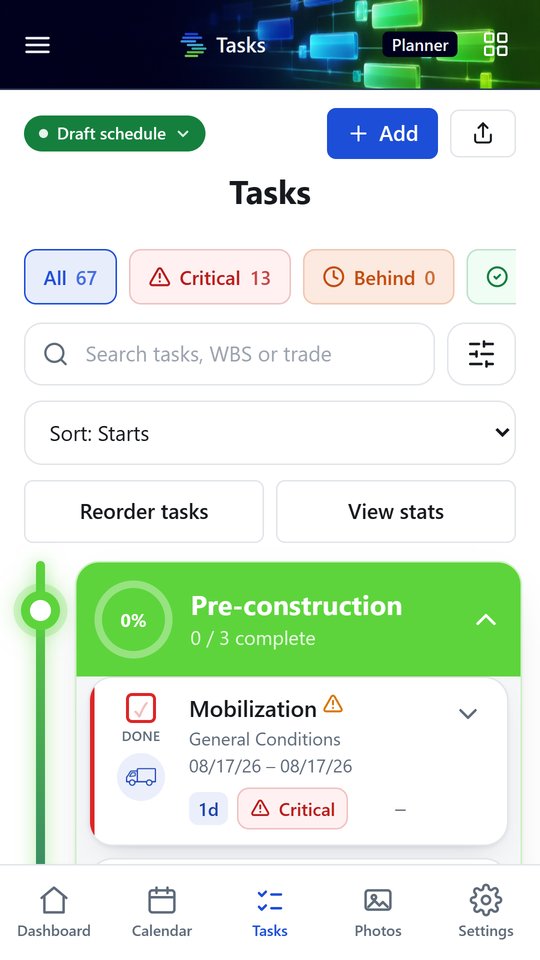

Import the programme you already have. Schedra keeps the office and the field on the same version, and keeps the record.

Stop finding out the night before. See your trade's work by day, and plan manpower before the phone rings.

Plain-English dates on your phone, and an honest record of every change your builder makes to the programme.
Every PM has heard it. Most answer from memory. With Schedra, every change to the schedule is numbered and logged as it happens: the task, the days it moved, who made the change and when. When the question comes, you open the list.

Drop in your schedule file and Schedra recalculates it with a full critical-path engine. No rebuild, no retyping.
No file yet? Open the built-in sample schedule and explore every screen before you bring your own.
Questions go to the team that builds Schedra. See how support works.
A construction scheduling app. It takes the schedule you already have, turns it into a day-by-day calendar everyone on the job can read on a phone, and logs every change made to it.
No. You can import an MS Project, P6 or Excel schedule if you have one, but reading and updating the schedule in Schedra needs no scheduling training at all.
MS Project .mpp and XML files, Primavera P6 exports and Excel or CSV schedules (.xlsx, .csv, .tsv, .txt).
Yes. Schedra has a phone layout built for the field and a desktop layout built for the office. It runs in any browser, and the Android app is on Google Play.
Yes. Every package includes free read-only seats for subcontractors, so each trade can see what is scheduled for them today and this week.
Ask a question about your schedule in plain English, like how a delay affects the end date, and Schedra's AI answers with a report built from your actual schedule. Each package includes a monthly allowance of reports.
From $20 a month for one person, or from $25 a seat for teams, with two months free when you pay yearly. Every account starts with a 45-day free trial and no card. See all pricing.
Your schedules are stored securely, and every table is locked down so people only see the projects and trades they have been given access to. Read our privacy policy.
Start free for 45 days. Bring your schedule, or try the sample job first.